

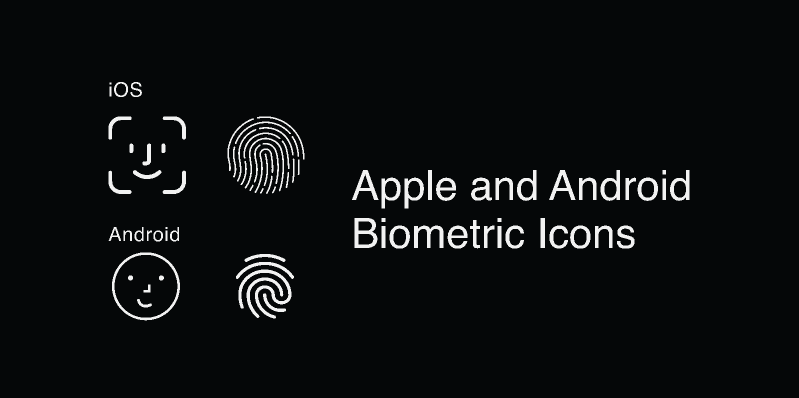
How Biometric Authentication Works in 2026
- Web Authentication Standard (WebAuthn)
WebAuthn is the modern web standard for biometric login:
- It uses public-key cryptography for authentication without passwords.
- The browser or device hardware handles biometric verification (Face ID, Touch ID, fingerprint).
- After authentication, the device provides a credential (public key) to your site.
- Your PHP backend verifies this credential when the user attempts login.
WebAuthn does not expose the biometric data itself (fingerprint or facial details) to your server; only a secure public key and signed challenge are exchanged, improving privacy and security.
This approach works on modern browsers supporting WebAuthn (Chrome, Firefox, Safari on desktop and mobile).
- Native Mobile Biometric Plugins (for Hybrid Apps)
If your app is a hybrid or uses frameworks that combine PHP backend with mobile UI (like NativePHP plugins), you can prompt device-level biometric authentication:
- The device prompts the user for Face ID/Touch ID using native APIs.
- Upon success, the app notifies your backend that authentication passed.
- PHP backend accepts the custom token or session request.
An example of a plugin like this (for Livewire/Blade + mobile setup) shows how you can trigger biometric prompts and handle completion events.
This method is typically used in mobile apps that have a PHP backend, not in plain PHP websites.
Basic Concepts PHP Developers Should Understand
Device vs Server Responsibilities
- Device/User device: Authenticates the biometric (Touch ID/Face ID).
- Browser OS or mobile SDK: Generates a secure credential.
- PHP Backend: Verifies or validates the credential or signed challenge and creates a login session.
You do not implement fingerprint or face recognition algorithms in PHP because that biometric sensor and secure storage are in the device’s operating system.
Biometric vs Traditional Login
Biometric is similar to passwordless login. Instead of users entering a password, they confirm their identity through the device’s biometric system. The server sees either a verified credential or a token confirming successful biometric authentication – but never the biometric data itself.
Step-by-Step Approach to Implement Biometric Authentication in a PHP-Backed App
Step 1: Enable WebAuthn on Your Frontend
On your frontend (HTML/JS), request a credential from the browser:
const credential = await navigator.credentials.create({
publicKey: { /* WebAuthn details here */ }
});
During login, you request credential validation:
const assertion = await navigator.credentials.get({
publicKey: { /* challenge + parameters */ }
});
WebAuthn handles the Face ID/Touch ID prompt if supported and returns a signed credential.
You send this signed credential to your PHP backend for verification.
Step 2: Send Credentials to PHP Backend
In PHP, your endpoint receives the credential or signed assertion. You verify it against:
- The stored public key associated with the user
- The challenge you sent earlier
- Cryptographic correctness
If verification succeeds, you issue a session or token.
You can use PHP libraries that implement WebAuthn server logic.
Step 3: Manage User Registration and Authentication
Registration Flow
- User registers normally or via WebAuthn.
- Browser generates a key pair stored in the device secure enclave.
- The public key is sent to your PHP server and stored with user data.
Authentication Flow
- The user tries to login.
- Browser triggers Face ID/Touch ID prompt.
- After user biometric verification, the browser returns a signed assertion.
- PHP backend verifies and logs the user in.
This makes the login passwordless or an additional secure factor.
Native PHP Mobile Application Integration
If you are using a mobile or hybrid app framework integrated with PHP backend:
- Use plugins or SDKs that provide biometric prompt methods.
- Example plugin functions may include a simple biometric prompt method that calls the device’s Face ID/Touch ID sensor.
- Your app resolves the authentication result and sends a token or API request to your PHP backend.
This is useful when building mobile apps backed by PHP APIs, not plain web.
Security and Best Practices in 2026
- Never Store Raw Biometric Data : Raw biometric data should never be stored on your server. Only store securely derived public credentials. Biometric authentication on web browsers with Web Authn never sends the sensitive biometric template to your server – only cryptographic assertions.
- Use HTTPS : WebAuthn and biometric authentication for the web require HTTPS. This ensures secure transmission of credentials and challenge/response flows.
- Fallback Methods : Provide a fallback (like password or email OTP) for devices or browsers that do not support WebAuthn or biometric features.
- Session Management : Once authenticated, issue short-lived sessions or tokens to minimize risk if the session token is compromised.
Other Blogs
-
Magento Website DevelopmentMagento Website Development
-
HTML5 Web DevelopmentHTML5 Web Development
-
React Native App DevelopmentReact Native App Development
-
Flutter App DevelopmentFlutter App Development
-
iOS and Android App DevelopmentiOS and Android App Development
-
Full-Stack Web DevelopmentFull-Stack Web Development
-
UI/UX Design CompanyUI/UX Design Company
-
Shopify for E-Commerce DevelopmentShopify for E-Commerce Development
-
Angular Development ServicesAngular Development Services
-
Node.js DevelopmentNode.js Development
-
Laravel Development ServicesLaravel Development Services
-
PHP Development ServicesPHP Development Services
-
Backend Development CompanyBackend Development Company
-
Front-End DevelopmentFront-End Development
-
Web Development CompanyWeb Development Company
-
Mobile App DevelopmentMobile App Development
-
SEO DevelopmentSEO Development
-
Google WebmasterGoogle Webmaster
-
Google AdWordsGoogle AdWords
-
Top AI Website BuildersTop AI Website Builders
-
No-Code AI Web DesignNo-Code AI Web Design
-
AI Tools for Web CreationAI Tools for Web Creation
-
AI vs Manual Web DesignAI vs Manual Web Design
-
10-Min AI Website Guide10-Min AI Website Guide
-
AI for Portfolio SitesAI for Portfolio Sites
-
Future of Web Design: AIFuture of Web Design: AI
-
Best IT Companies in SuratBest IT Companies in Surat
-
IT Company in SuratIT Company in Surat
-
IT Companies in GujaratIT Companies in Gujarat
-
How to 10x Cursor with Task Master AIHow to 10x Cursor with Task Master AI
-
ChatGPT-5ChatGPT-5
-
Donald Trump Doubles Import Tax from 25% to 50% on IndiaDonald Trump Doubles Import Tax from 25% to 50% on India
-
SEO Checklist for New WebsitesSEO Checklist for New Websites
Comprehensive Software Solutions Across Verticals

Marketplace

Education

E-commerce

data

Logistics




Innovation
we involves taking creative approaches to solve problems, improve processes, and meet the evolving needs of customers.

Quality-Focused
we delivering high-quality products or services to our customers.

Value for Money
we provide combination of cost, quality and sustainability to meet customer requirements.