

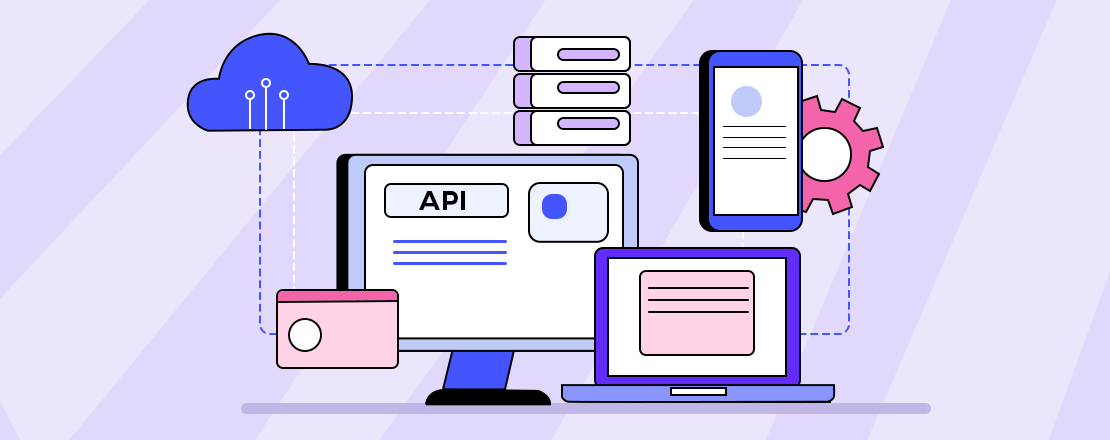
Third-Party API Integration
What is Third-Party API Integration?
Third-party API integration means your web application links to a provider’s API to benefit from their data or features. So, you won’t build the feature yourself but use an existing service instead.
Why Use Third-Party API Integration in Web Apps?
- Faster Development :APIs make development faster by delivering functionalities that can be used straight away.
- Cost-Effective :Employing people to build advanced functions like payments, shipping or CRM increases costs rapidly for most companies. APIs give you more cost-effective options.
- Reliability & Security :Popular third-party APIs from Google and others offer security, strong infrastructure and the ability to scale.
- Seamless User Experience :National eIDV APIs provide for real-time actions by offering the ability to log in using social media, look up up-to-date weather and send OTP codes at the time of need.
- Easy Maintenance & Updates : The provider manages updates to the third-party, so you don’t have to deal with them.
Popular Use Cases of Third-Party API Integration in Web Apps
| Functionality | API Examples |
|---|---|
| Payment Processing | Stripe, PayPal, Razorpay |
| Maps & Geolocation | Google Maps, Mapbox, HERE Maps |
| Social Logins | Facebook Login, Google Sign-In |
| Email & SMS Services | SendGrid, Twilio, Mailgun |
| Analytics & Tracking | Google Analytics, Hotjar, Mixpanel |
| Chat & Messaging | WhatsApp API, Intercom, Zendesk |
| Cloud Storage | AWS S3, Google Cloud Storage |
| Authentication | Auth0, Firebase Auth, Okta |
| CRMs & ERPs | Salesforce, Zoho, HubSpot |
| Shipping & Logistics | Shiprocket, EasyPost, FedEx API |
How Third-Party API Integration Works (Step-by-Step)
- Select the API :Choose the service that meets your requirements and gives you access to secure and clear APIs.
- Sign Up & Get API Keys :Create a user account and receive your API keys, tokens or OAuth credentials by registering on the provider’s site.
- Read the Documentation :Learn about Requests/Responses, Endpoints, Rate Limits and Error Codes using the Documentation.
- Set Up Authentication :For secure use, most APIs recommend OAuth2.0, Basic Auth or API key headers.
- Send Requests & Handle Responses : Use
GET,POST,PUT, orDELETEHTTP methods to communicate with the API endpoints using tools like:
fetch()oraxiosin JavaScriptrequestsin PythoncURLfor testing
- Parse and Use Data : Once the response is JSON or XML, then you can use the data to display changing elements in your app or set off some logic.
- Error Handling & Logging :Include special checks to handle requests that fail, timed-out connection issues or strangely incorrect data.
Security Considerations for Third-Party API Integration
- Use HTTPS to secure API traffic.
- Secure store API keys (never expose them to the frontend).
- In order to mistreat API, use rate limits and timeouts.
- Update dependencies routinely and watch for vulnerabilities.
- Implement fallbacks or graceful degradation in case the API does not work.
Common Challenges in API Integration
| Challenge | Solution |
|---|---|
| Incomplete Documentation | Choose well-documented APIs or contact support |
| Rate Limits/Throttling | Use caching and optimize calls |
| Version Changes | Track changelogs and test updates in staging |
| Authentication Complexities | Use SDKs or libraries provided by the API provider |
| Downtime or API Failure | Implement retry logic and fallback mechanisms |
Tools and Libraries for API Integration
| Platform | Tools/Libraries |
|---|---|
| JavaScript | Axios, Fetch API, jQuery AJAX |
| Python | Requests, HTTPx, Flask-Restful |
| PHP | Guzzle, cURL |
| Node.js | Axios, node-fetch |
| Postman | For testing API requests |
| Swagger | For API documentation & testing |
Best Practices for Third-Party API Integration
- Use Environment Variables for API credentials storage
- Test in Sandbox/Dev Mode prior to production integration
- Monitor API usage and logs regularly
- Cache static API data to decrease load and increase speed
- Verify provider SLAs & constraints prior to integration
When Should You Use Third-Party APIs?
| Situation | Use Third-Party API |
|---|---|
| Building a payment feature | Yes |
| Need real-time SMS/email notifications | Yes |
| Building your own analytics system | Not necessary |
| You need full control or customization | Depends |
| App has tight security/data requirements | Carefully review |
Other Blogs
-
Agile Software DevelopmentAgile Software Development
-
Fintech App DevelopmentFintech App Development
-
Magento Website DevelopmentMagento Website Development
-
HTML5 Web DevelopmentHTML5 Web Development
-
React Native App DevelopmentReact Native App Development
-
Flutter App DevelopmentFlutter App Development
-
iOS and Android App DevelopmentiOS and Android App Development
-
ReactJS Web DevelopmentReactJS Web Development
-
E-commerce Website DevelopmentE-commerce Website Development
-
Full-Stack Web DevelopmentFull-Stack Web Development
-
Static or Dynamic WebsiteStatic or Dynamic Website
-
Custom Website DevelopmentCustom Website Development
-
UI/UX Design CompanyUI/UX Design Company
-
Shopify for E-Commerce DevelopmentShopify for E-Commerce Development
-
Angular Development ServicesAngular Development Services
-
Node.js DevelopmentNode.js Development
-
Laravel Development ServicesLaravel Development Services
-
PHP Development ServicesPHP Development Services
-
Backend Development CompanyBackend Development Company
-
Front-End DevelopmentFront-End Development
-
Best Software Development CompanyBest Software Development Company
-
SaaS DevelopmentSaaS Development
-
Enterprise Software SolutionsEnterprise Software Solutions
-
Web Development CompanyWeb Development Company
-
Mobile App DevelopmentMobile App Development
-
Software DevelopmentSoftware Development
-
Custom Software DevelopmentCustom Software Development
-
Custom Middleware in LaravelCustom Middleware in Laravel
-
Laravel Echo ServerLaravel Echo Server
-
API DocumentationAPI Documentation
-
SEO DevelopmentSEO Development
-
Google WebmasterGoogle Webmaster
-
Payment Gateway IntegrationPayment Gateway Integration
-
Google AdWordsGoogle AdWords
Comprehensive Software Solutions Across Verticals

Marketplace

Education

E-commerce

data

Logistics




Innovation
we involves taking creative approaches to solve problems, improve processes, and meet the evolving needs of customers.

Quality-Focused
we delivering high-quality products or services to our customers.

Value for Money
we provide combination of cost, quality and sustainability to meet customer requirements.